
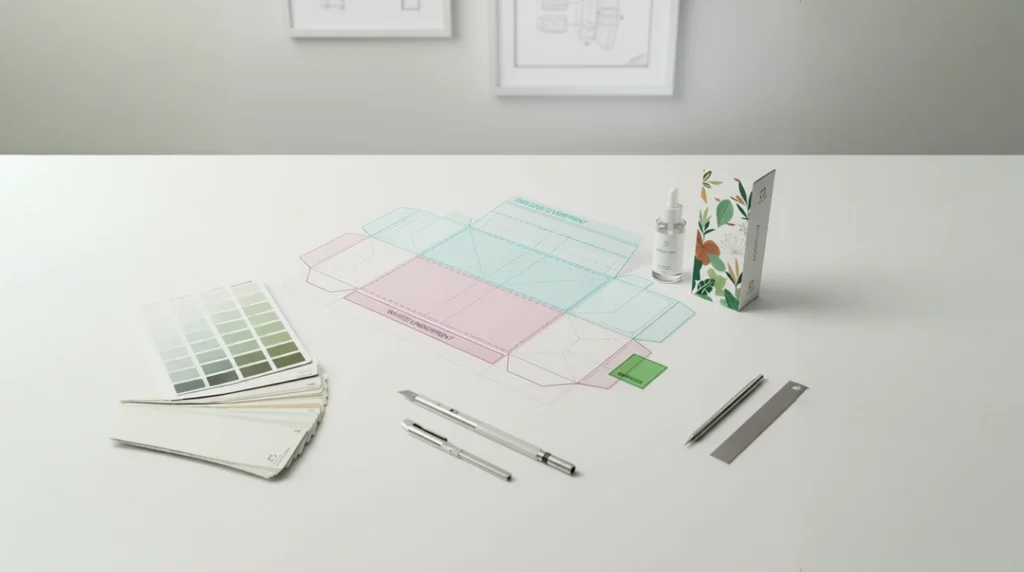
A cosmetics startup pings me at 09:12: “We only changed the fragrance name—why did the printer send a list of issues?” Missing fonts. Linked images gone. New barcode in a low-contrast zone. The dieline is “v7_final_FINAL”. Launch slides by Friday. Sound familiar?
Here’s the thing: variant work shouldn’t feel like a fresh mountain every time. When your packaging lives inside a proper template system, small changes stay small – and press day stops being a gamble.
What’s Really Going On
Most delays don’t come from design taste—they come from file hygiene. Every time a variant is made from last month’s folder or an old supplier dieline, you inherit hidden problems: overprint set where it shouldn’t be, RGB images inside a CMYK job, soft edges around a white underprint, barcodes nudged too close to a varnish edge. Multiply that by 6 SKUs and two printers, and you’ve built a delay machine.
Templates switch the logic: instead of “fixing files each time,” you change only the parts that should change—text, flavor color, weight, language—while the technical bones stay locked.
The Practical Fix (Production-Savvy)
1) Build one “SKU frame” per format.
- Locked zones: brand mark, legal blocks, nutrition/compliance boxes, barcode area (with quiet zone), claims icons, mandatory marks.
- Variant fields: flavor/name, color swatch, net weight/volume, batch/lot placeholders, language lines (HU/EN + third if needed).
- Layers:
00_DIELINE (Spot Overprint),01_WHITE_UNDERPRINT,02_ART,03_WARNINGS,04_BARCODES,99_NOTES. Clear names save hours.
2) Color that survives the real world.
- Define CMYK builds for coated/uncoated inside the brand book, plus any spot/Pantone exceptions.
- If using clear film or metallized stock, create a dedicated WHITE_UNDERPRINT spot (100% swatch, set to Overprint) and choke it ~0.15–0.25 mm to avoid halos.
- Keep barcodes on solid white, matte or unvarnished if possible for scan reliability. (Production guidance, not legal advice; confirm local rules/retailer specs.)
- If you’re working on clear labels or metallic board, pair this with our step-by-step guide: White Ink on Clear & Metallic: Build It Right, Proof It Once.
3) Typography that never goes missing.
- Outline display fonts in final exports; keep live system/brand text styles in working files.
- Save paragraph/character styles:
H1_Product,H2_Variant,Body_Info,Micro_Legal. No style = no consistency.
4) Pictures and icons that behave.
- Place linked images in a
Linksfolder inside each SKU package; uncheck “Include On Save” bloat. - Use 300 ppi CMYK images for print; avoid hidden RGB profiles sneaking in.
- Keep vector icons mono where possible—cheaper, cleaner, and scale-proof.
5) Barcodes that scan.
- Size and contrast from the template, not the designer’s memory: quiet zones baked-in, no varnish textures crossing the code, minimum size respected. (Production guidance, not legal advice; confirm local rules.)
6) Exports your printer will love. Deliver the 3-page PDF hand-off every time:
- Page 1: art + dielines (dielines as spot strokes set to Overprint).
- Page 2: art-only (RIP-friendly—no dielines).
- Page 3: diecut-only (spot strokes for cut/crease/perf/glue). Bleed included, trim correct, output intent documented in the slug area (stock, varnish map, white ink note, choke/trap values).
7) Make the brand book do the heavy lifting. Your online brand book (in your Brand Vault) gets a “Templates” page:
- Master files for each format (carton/label/flow-wrap, etc.).
- Coated/uncoated color builds, barcode specs, white ink do/don’ts.
- Export presets + a 60-second video showing the 3-page PDF hand-off. One owner/manager keeps it tidy; no forms, no changelog maze.
8) Train your team once, not every Tuesday. A 30-minute walkthrough: where variant fields live, how to swap language layers, where not to touch. After that, variants move in minutes, not days.
Short-Term Wins (This Week)
- Variant changes stop breaking layouts; you edit text/color, not structure.
- Fewer prepress emails: no missing fonts, no RGB surprises, no mystery dielines.
- Faster quotes/approvals: printers see the same clean 3-page package each time.
- Barcodes and compliance blocks stop drifting—less “please move 2 mm” back-and-forth.
- Predictable color on both coated and uncoated stocks.
Long-Term Wins (This Quarter/Year)
- ~30% less prepress time on average for each new SKU or reprint.
- Lower risk of reprints/credits thanks to locked technical zones.
- Easier vendor backup—any competent printer can run your files.
- SKU expansion without chaos; families stay consistent from three meters away.
- A calm team: less rescuing, more releasing.
How I Handle This With Clients (Hungary + Production Partners)
We start with a template audit: I review your current SKUs, printer notes, and recurring “gotchas.” Then I build master templates per format with locked zones, variant fields, and brand styles. We run short-run prototypes (carton dummies, clear-label tests, drawdowns) so you can approve with real light and real hands.
Everything lands in your online brand book in your Brand Vault—downloadable masters, color pages, barcode guidance, export presets—HU/EN so marketing and purchasing read the same playbook. Hungary-based means you get same-day answers, and if a printer calls, I’m on with them in your workday.
Final Thought
Templates aren’t red tape—they’re speed. Lock the technical bones once, and every variant after that becomes a light lift that prints right the first time.
Want the system?
Book a Template Setup & Preflight
I’ll convert one SKU into a reusable master and ship your 3-page PDF hand-off this week.